 Kitty Steps
Become a Kitty Steps tester
Kitty Steps is in closed testing on Google Play. To install it you need an Android phone and the Google account you use in Google Play. It takes about 2 minutes.
Join the testers group
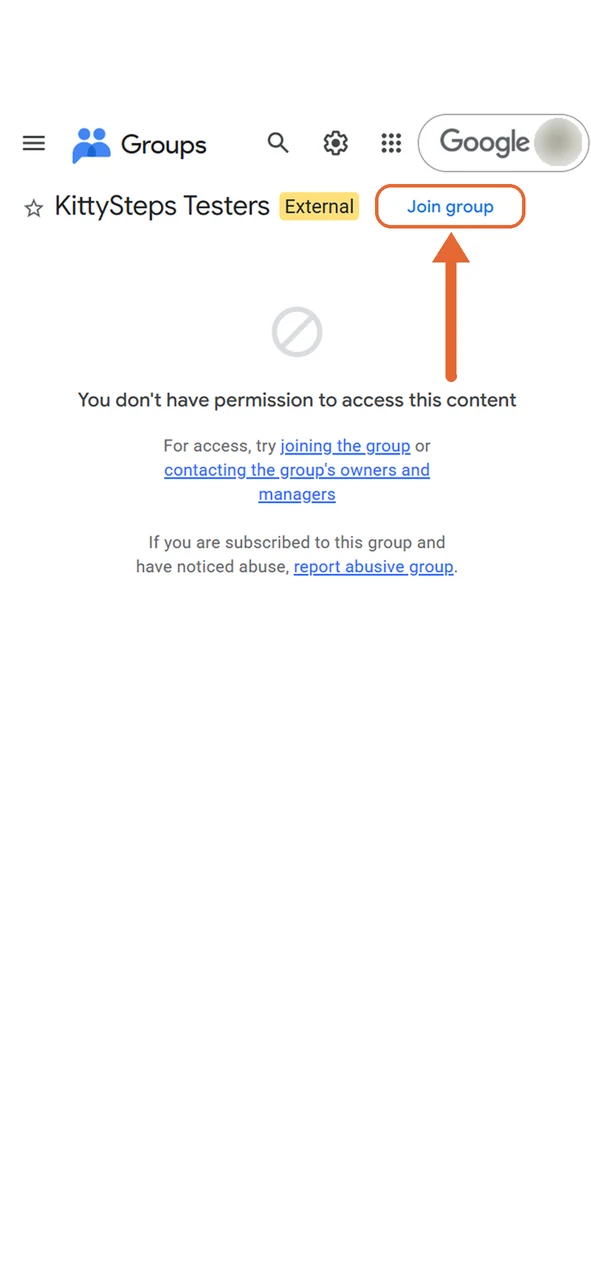
Open the group and tap Join group. The message below saying you don't have access is normal; it disappears once you join.

Confirm
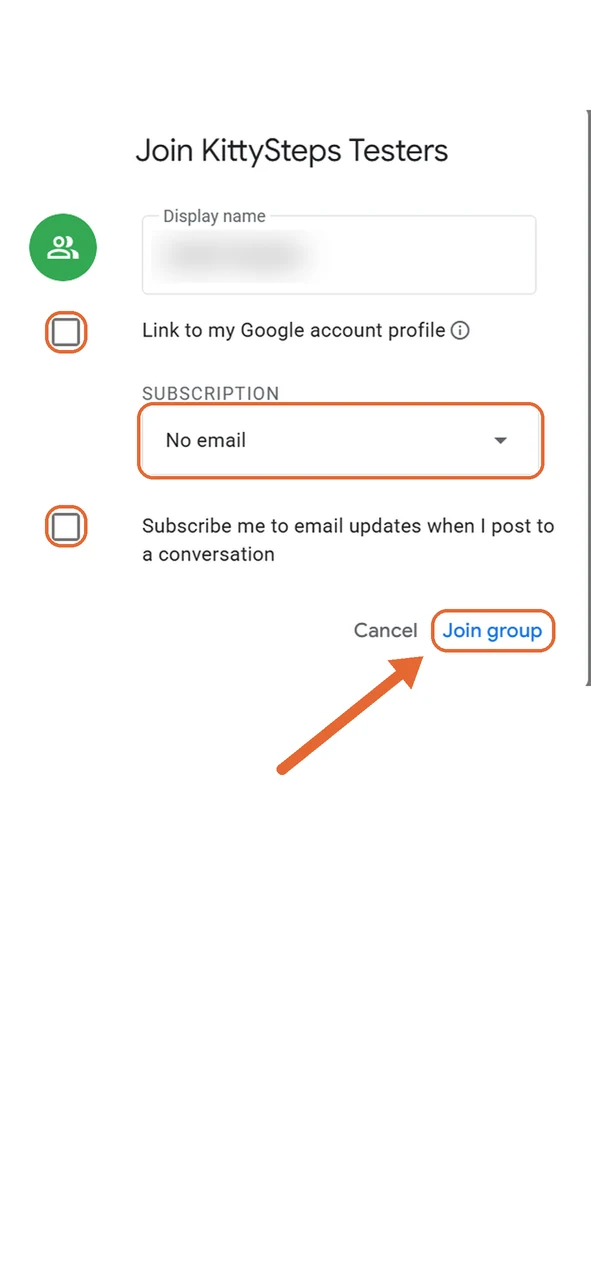
You can type any display name. The next part is optional: if you don't want emails from the group,
- untick both boxes;
- under Subscription, choose No email.
Then tap Join group.
Accept the test invitation
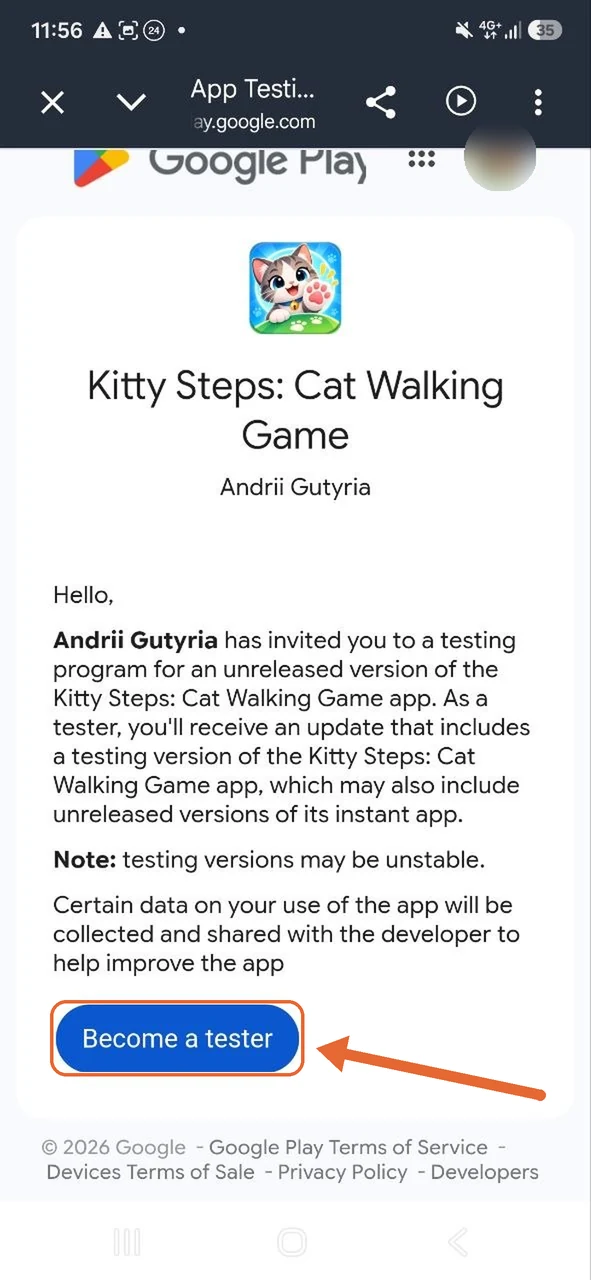
Open the testing page and tap Become a tester.

If the page says the app is not available, wait a few minutes after joining the group and check that you are using the same account.
Install the game
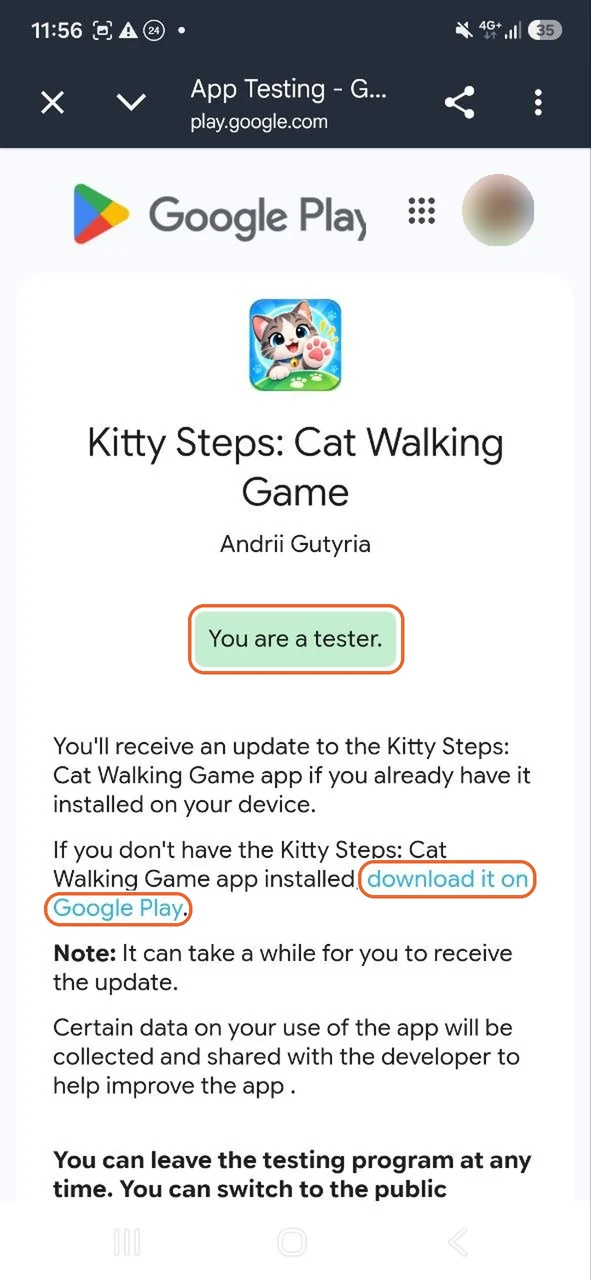
You will see You are a tester. Tap download it on Google Play and install Kitty Steps.

Google Play may take a little while to show the game, sometimes up to a few hours.
Let it count your steps
On first launch the game asks for the Physical activity permission. Please allow it, otherwise your steps won't count. Steps are processed only on your phone.
Thank you for helping! 🐾
Before the game can be released to everyone, Google requires at least 12 testers to stay in the test for 14 days in a row. So please:
- stay in the test for at least 14 days;
- open the game now and then and go for a walk with your cats;
- send bugs and ideas to rpaha.games@gmail.com.